← 联系方式

Your private address book of owners, buyers and tenants

联系方式

Every owner, buyer and tenant you work with, in one list that only you can see. Each contact shows how many listings and wanted requests they have with you.

Why it matters: Your clients are your career. In an agency CRM they belong to the agency; here they stay yours when you move.
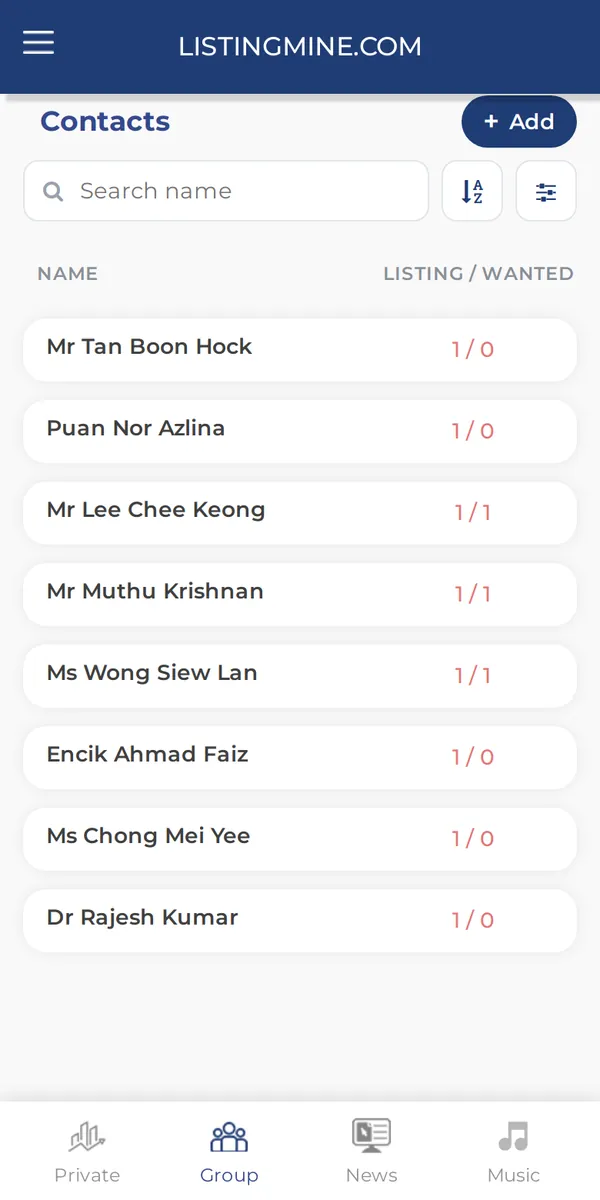
联系方式 — ListingMine 私人区 screen

Search and sort

Type a name to find someone at once. Sort A-Z, by the newest contact, by who has the most listings (supply) or by who is looking the most (demand).

Why it matters: Before a call, you know straight away who has property to sell and who is looking to buy.

  1. Type part of a name in the search box
  2. Tap the sort button for A-Z or Z-A
  3. Tap the menu for Latest, Most Demand or Most Supply

Add

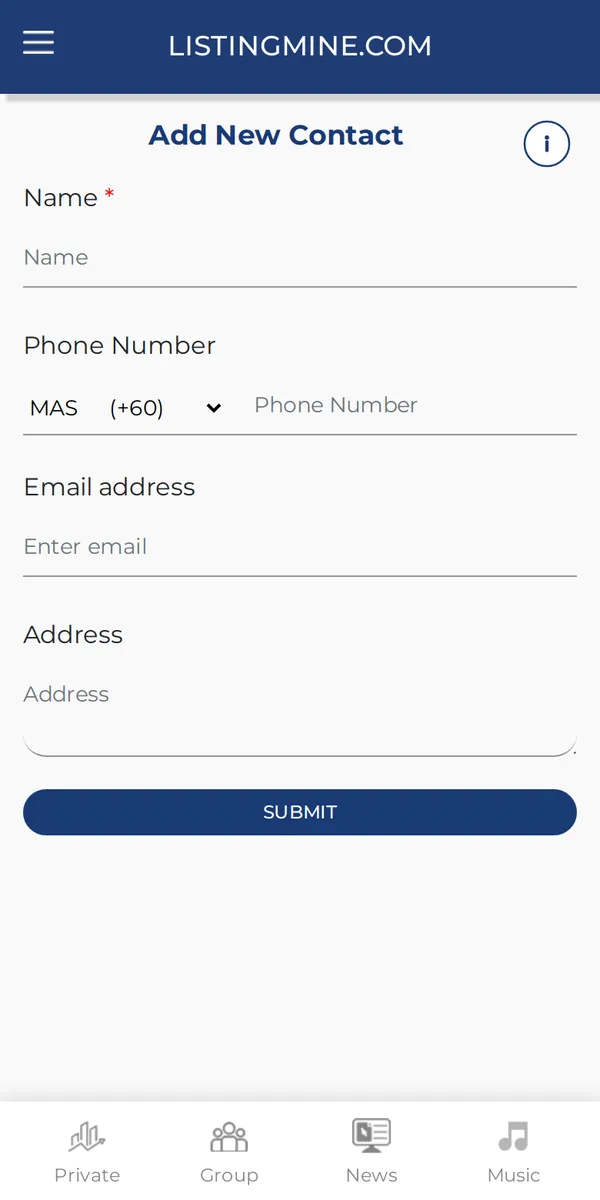
Adds a contact by hand with a name and phone. Usually you do not need it: when you add a listing, the owner you type in is saved here for you.

Why it matters: No double work and no duplicates: the same phone number always means the same contact.

  1. Tap + Add
  2. Type the name and phone
  3. Save
Add — ListingMine 私人区 screen

Open a contact

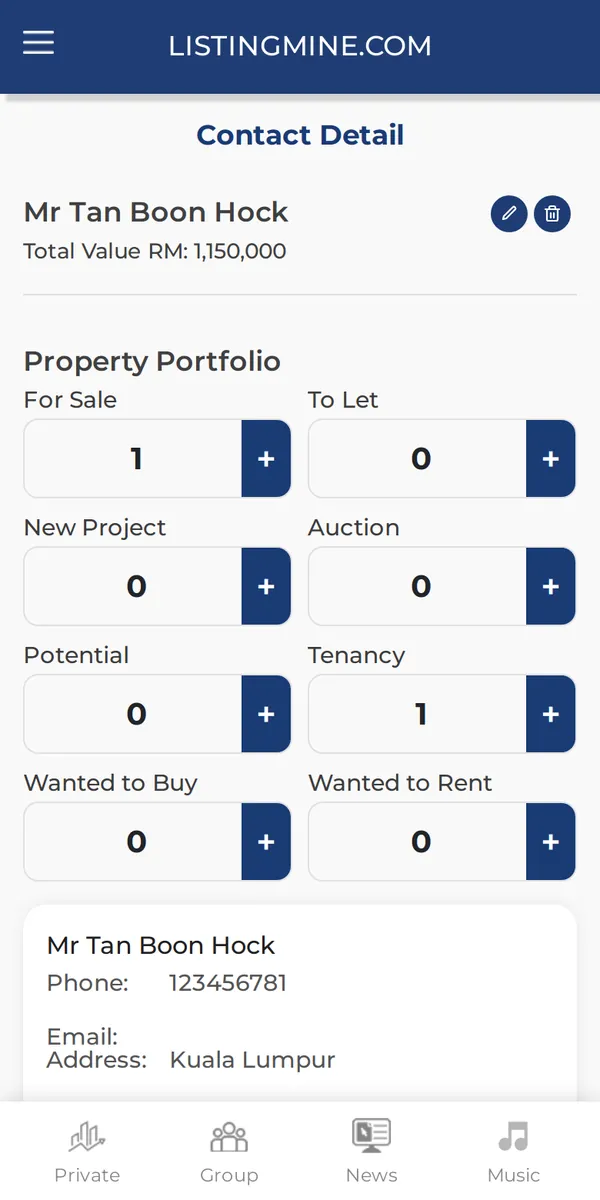
One page per person: all their listings for sale or rent, new projects, auctions, potentials, tenancies, what they want to buy or rent, and their market value updates.

Why it matters: One tap shows the whole relationship, so you never forget a second property or an old request.

  1. Tap a name in the list
  2. Use + on any type to add one more for this person
Open a contact — ListingMine 私人区 screen

Screens show a demo agency with made-up names and listings.